 GlucoSpike AI
 New · Log your own readings
Put your number in. See what the meal actually did.
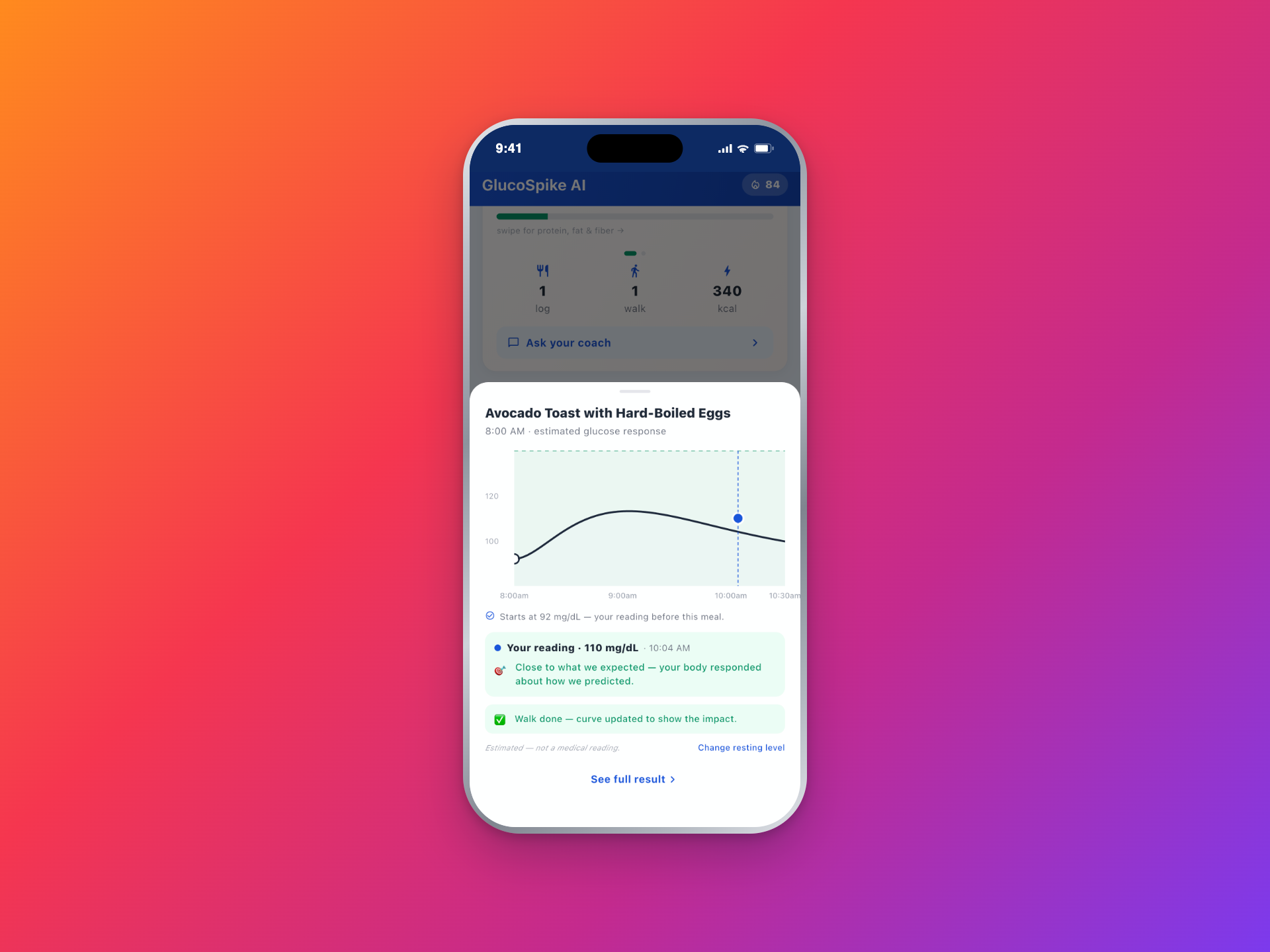
Use a meter or a CGM? Type your reading in and GlucoSpike attaches it to the meal you just ate. You see what the meal was predicted to do and what it actually did, side by side — and the app gets better at reading you every time. Works in mg/dL or mmol/L. No CGM required.


7-day free trial • Logging readings is optional, always
Your number, filed where it means something.
Beat one
Log it in five seconds.
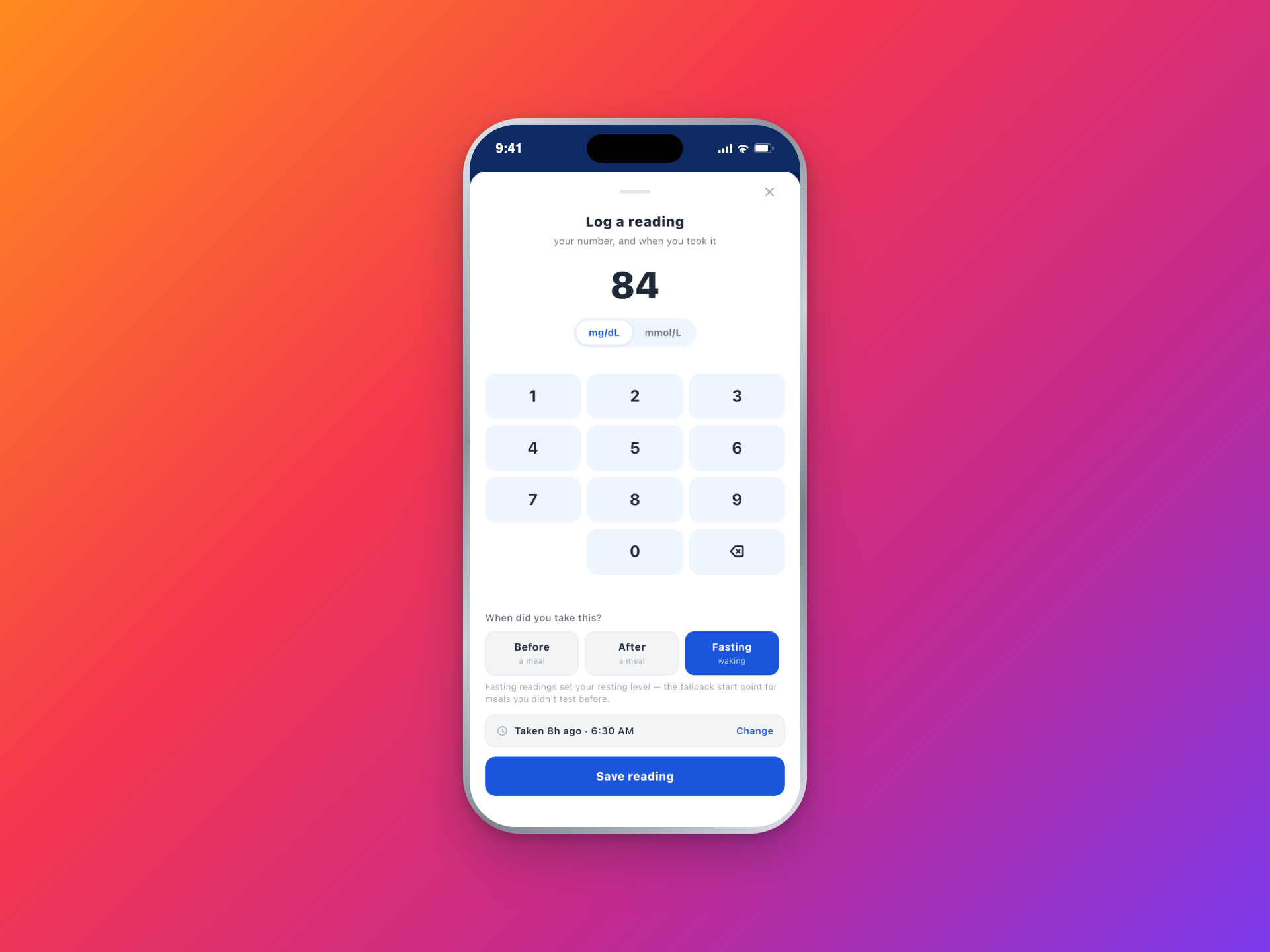
Before a meal, after a meal, or fasting
A bare number does not say much on its own. 140 after lunch and 140 first thing in the morning are two completely different sentences. GlucoSpike asks which one it is, because that is what makes the number readable later.
mg/dL or mmol/L, your call
Pick your unit once and everything you have already logged displays in it. Switch back whenever you like — it is a display preference, so nothing gets re-typed.
Typing it in is the whole flow
No sensor to pair, no account to link, no photo of your meter screen. GlucoSpike reads nothing from Apple Health, Google Fit, or any CGM. Every value in there is one you put there.
Beat two
It files the reading for you.
Attached to the meal you just ate
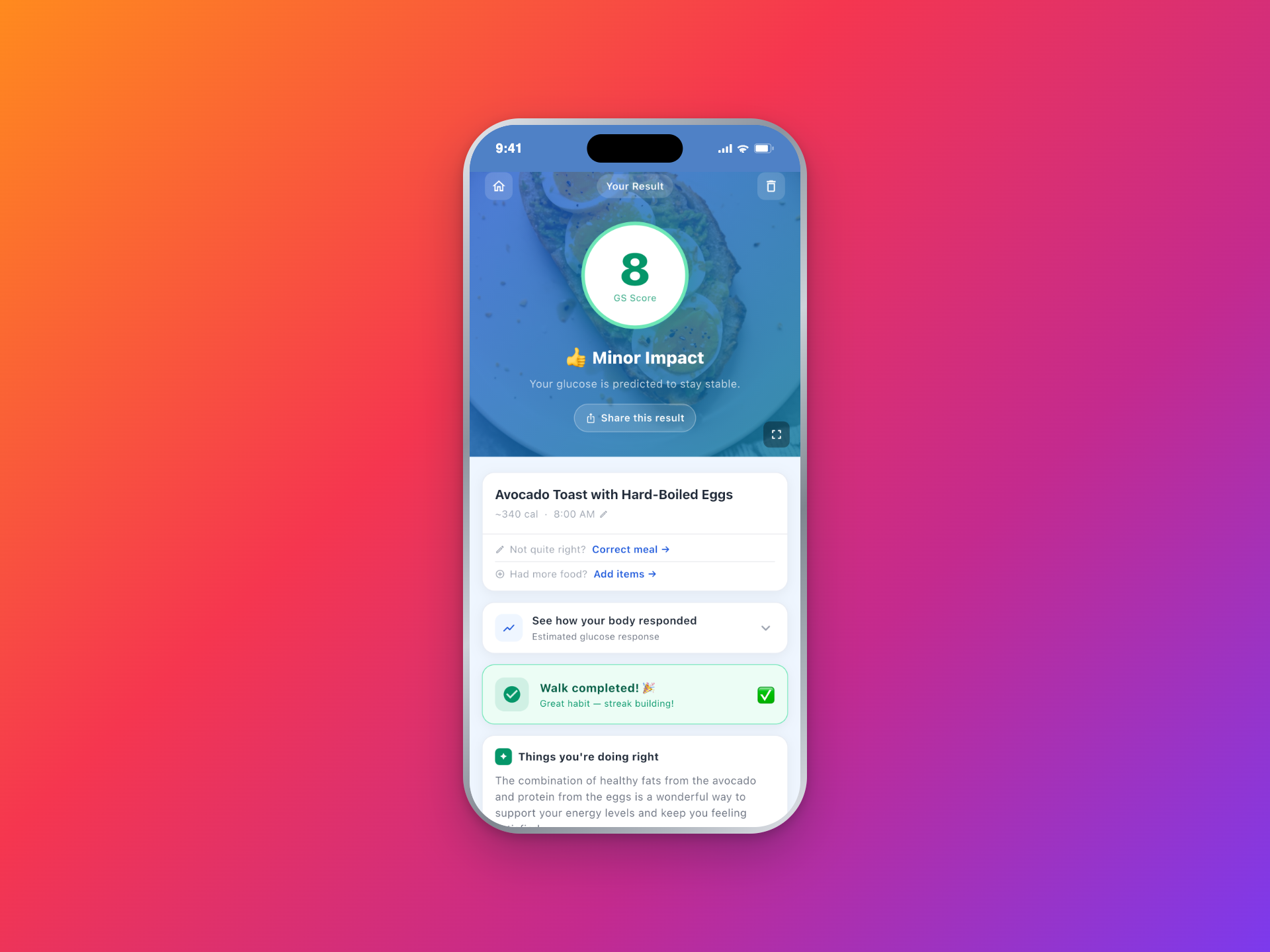
Log an after-meal reading and GlucoSpike attaches it to the meal that came before it, by name. "Attached to Chicken Burrito Bowl." No scrolling back through a list to find the right entry.
Wrong meal? One tap undoes it
If it guessed the wrong meal, detach it in a single tap. The reading stays in your history, just unattached, until you say where it belongs.
Backdate anything
Tested two hours ago and forgot to open the app? Set the time to when you actually tested. The reading files itself where it belongs in your day instead of landing at the wrong hour.
Beat three
Predicted and actual, on the same curve.
The meal already had a predicted response. Your readings land on top of it as dots — the one you took before you ate, and the one you took after.
The rise, not the number
98 to 148 is a rise of 50 mg/dL, or 2.8 mmol/L. That gap is the thing worth watching, and it is yours — it does not need a chart of anyone else's readings to mean something.
One meal at a time
This sits on the meal itself, not in a separate dashboard. You open the meal you ate and the readings that followed it are right there.
No verdict attached
GlucoSpike shows the two side by side and says nothing about whether 148 was good or bad. That call is not ours to make.
Beat four
It learns how you respond.
Plain language, never a raw multiplier
You will never open the app to "personal response coefficient: 1.34." You will see something like "your readings after pasta climb more than we estimated." That sentence you can actually do something with.
Every reading is one more check against reality
We compare what the meal was predicted to do with what you measured. Do that a few times and the estimates start fitting your body rather than the average body.
Your meter wins the argument
When your reading and our estimate disagree, your reading is the one that is real. The app moves toward you. It never asks you to trust the prediction over your own number.
Beat five
We only show numbers we have earned.
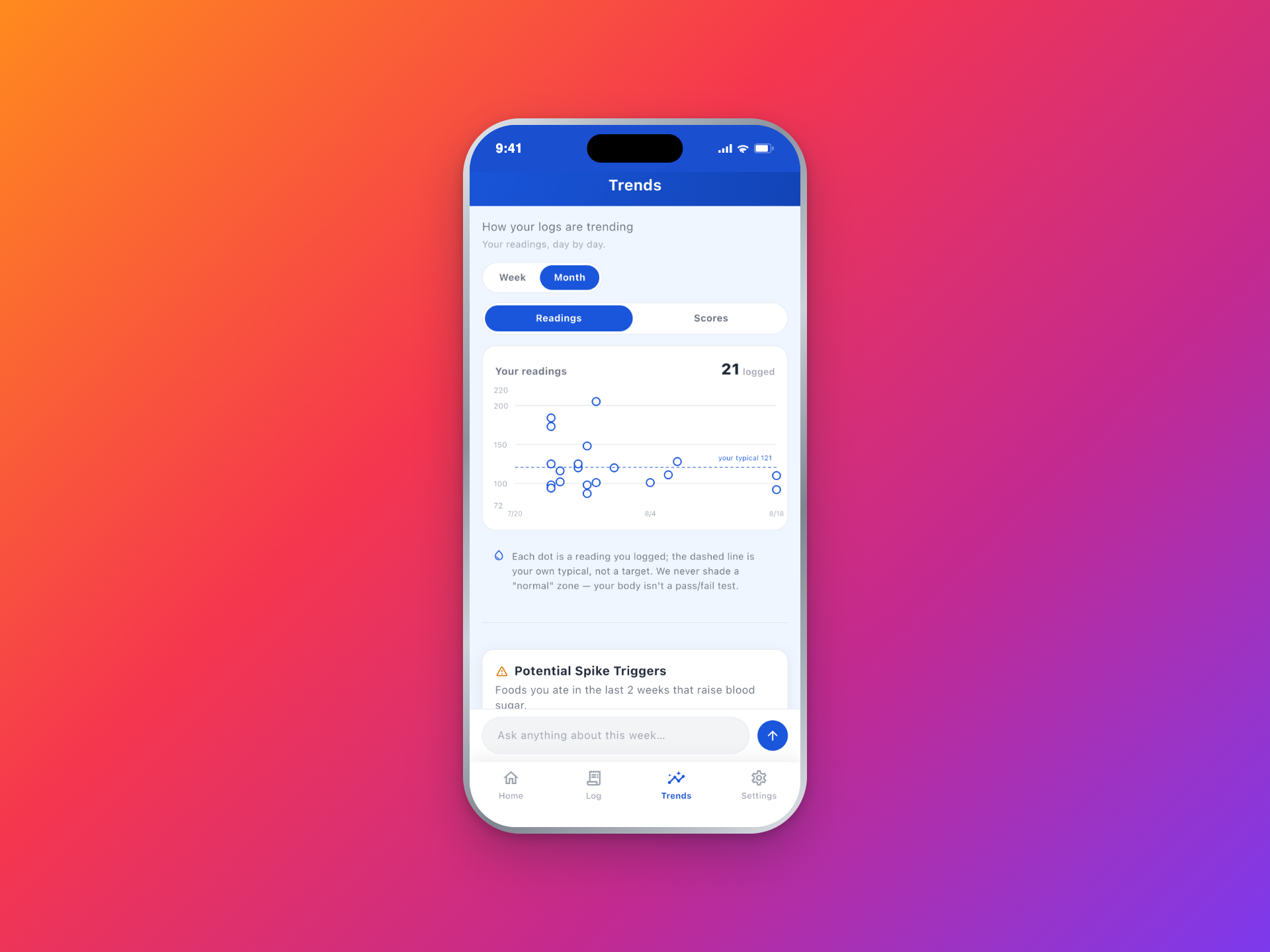
Most apps will happily draw you a glucose curve with a full axis of numbers on it, whether or not they have the faintest idea where your body actually starts. We decided not to do that.
If you have never given us a starting point, GlucoSpike draws the shape of the response and nothing else — how fast it climbs, where it settles, how long it takes. What it will not print is an axis of made-up mg/dL pretending to be your readings.
Log one before-meal reading and the curve gets a real place to start from. Until then, the shape is the honest version of what we know.
Before you log anything
Shape only. You can still see that one meal climbs harder and faster than another, which is most of what you came for.
After one reading
The curve gets a real starting point, and the numbers on it are anchored to something you measured yourself.
What happens to the number
Your readings are never sent to the AI.
The number you type in is yours. Here is exactly where it goes, and where it does not.
Not the readings, not any total from them
Blood-glucose readings never reach Google Gemini or any other AI service. All three coach surfaces are built so the AI cannot see a number you logged. This is also why the app never comments on a reading: it genuinely does not have it.
Asked for, not assumed
Readings are health data, so the app asks for your consent before it stores the first one. Say no and everything else keeps working exactly as it did.
Deletable one at a time
Delete any single reading whenever you want, or delete your account and take all of it with you. Readings are never sold, never used for advertising, and never shared with data brokers, insurers, or employers.
Optional, permanently
The app works fully without a single reading in it. You can snap meals, scan barcodes and use the coach for years and never type a number.
Questions about logging readings
Do I need a CGM?
No. This was built for people who test with a fingerstick meter, and it works exactly the same if you are reading your number off a CGM. Either way you type the number in yourself.
Does GlucoSpike pull readings from my CGM or Apple Health?
No. GlucoSpike reads nothing from Apple Health, Google Fit, a CGM, or any other connected device or phone sensor. Every value in your log is one you typed.
mg/dL or mmol/L?
Both. Pick your unit and everything already logged displays in it. Switching is a display preference, so nothing has to be entered again.
Will it tell me whether my reading is too high?
No, and that is deliberate. GlucoSpike never labels a reading normal, high, low, or in range. That judgment belongs to you and your healthcare provider. The app shows you your own number next to the meal it followed, and stops there.
What if I attach a reading to the wrong meal?
Detach it in one tap. The reading stays in your history, unattached, and you can put it where it belongs. You can also set the time to when you actually tested if you are logging it late.
Is this a medical device?
No. GlucoSpike is for general wellness and education. Your readings are your own record — we do not verify them and we cannot verify them, and nothing the app shows alongside them should be used to make decisions about medication or treatment. Talk to your healthcare provider about those.
What if I never log a reading?
Everything else works. You get GS Scores on your meals, the barcode scanner (7 free scans a week), swap ideas, and your weekly patterns without ever typing a number. Logging just makes the estimates fit you more closely.
Log one reading after your next meal.
Snap the meal, eat it, and put your number in an hour later. You will see the predicted response and your own reading on the same curve — and that is the first one of yours we have to work with.
7-day free trial • No credit card • Logging is always optional